
How Autonoptic assesses a claim
From the photos a driver sends to a priced report and a suggested route, in four steps. The AI reads the damage, the prices come from tables, and a person decides.
Step 1
Photos come in
The driver sends photos the way they do today, on WhatsApp or Viber, and your adjuster uploads them with the claim details. Up to eight photos per claim.
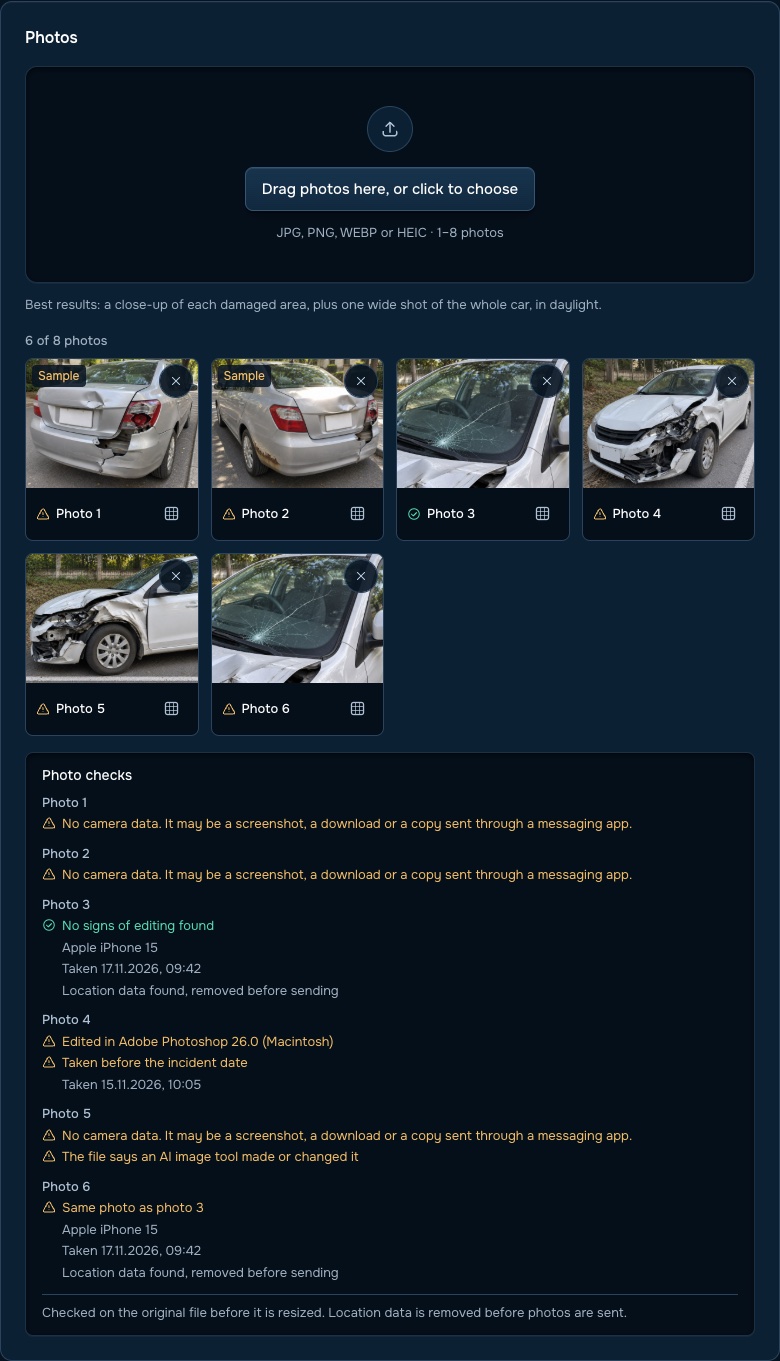
The app checks each photo for blur and missing angles and lists the retakes it needs.
It also reads each file's camera data and flags photos that were edited, taken before the incident date, sent twice, made by an AI image tool, or carry no camera data at all, such as a screenshot or a copy sent through a messaging app. Location data is removed before photos are sent for reading, and your adjuster can blur out a face or number plate first.
Step 2
The AI reads the damage
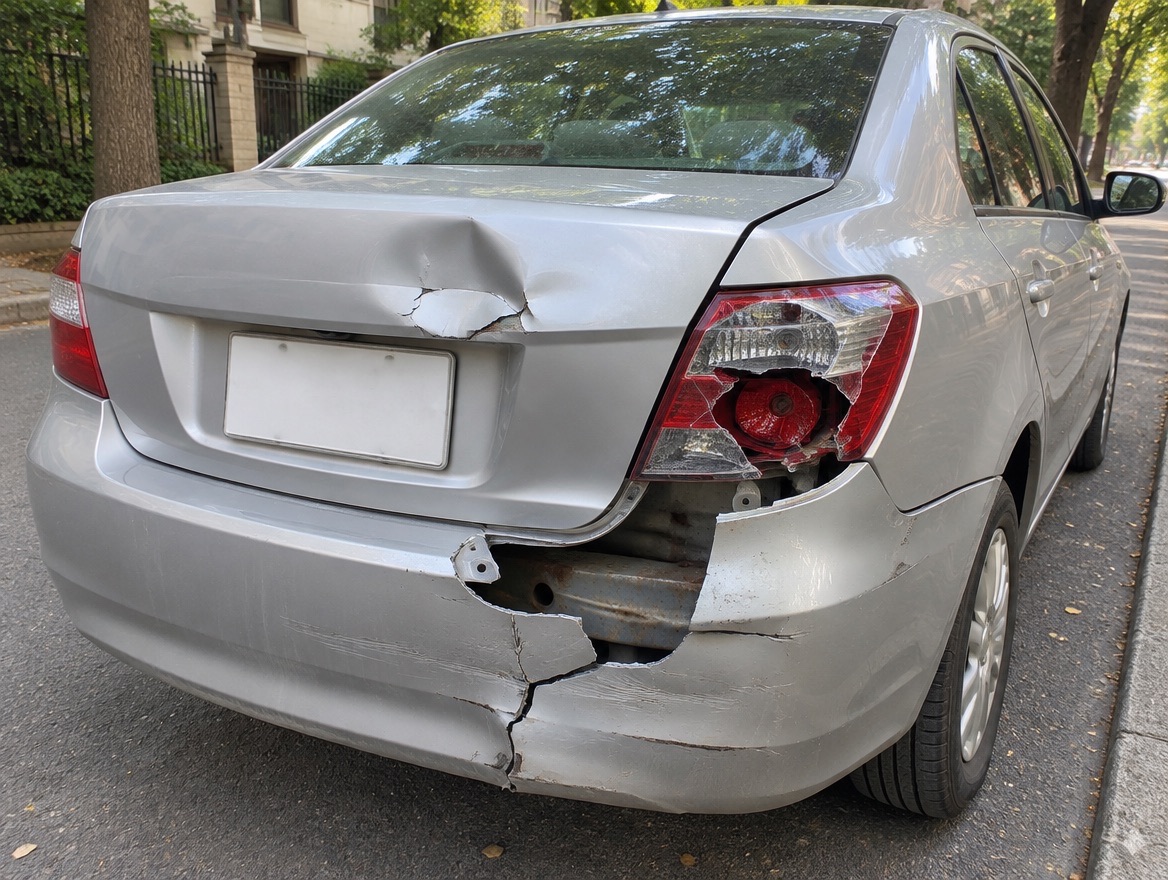
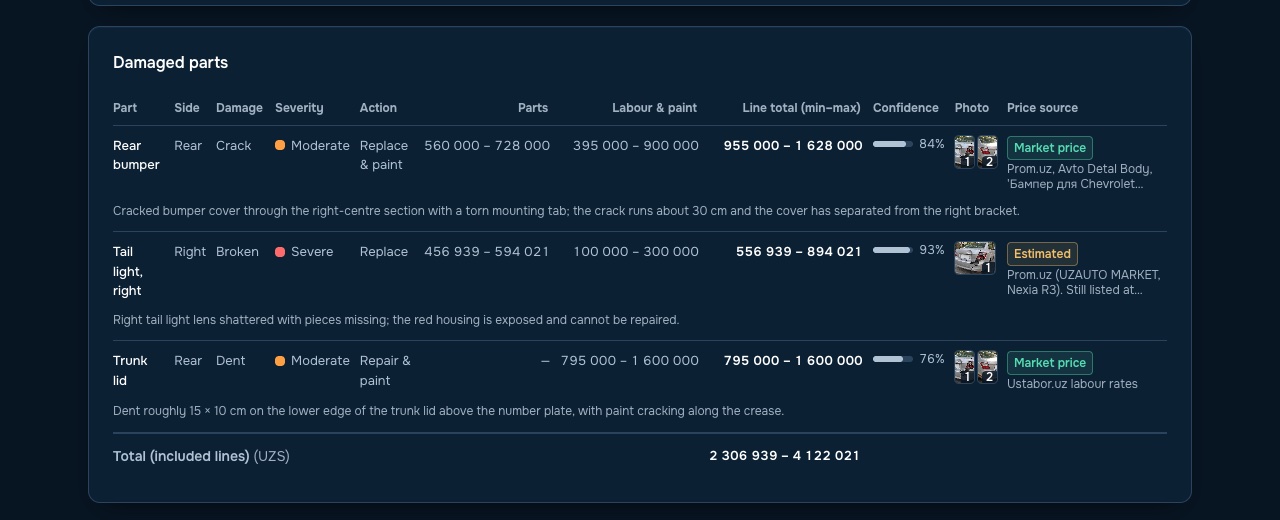
It names each damaged part, the kind of damage and how bad it is, then chooses paint only, repair or replace. Each line notes which photo shows it and how sure the model is.
It reads the photos three times and keeps the middle answer, so one odd reading doesn't move the figure. It also checks that the car in the photos matches the model on the claim, and marks old damage, such as rust, as not part of this claim.
Step 3
Every line is priced from local tables
The code, not the AI, prices each line from tables of parts, labour and paint for that city. Each price shows where it came from, such as a parts seller's listing or the local labour rate.
If a part has no local price, the report says so and leaves it for a person instead of guessing. If a part is out of stock, it uses the last listed price and marks it as a stand-in.
Step 4
The report suggests a route
The report gives a repair range, the most likely cost and the net payable after the deductible. It checks the repair cost against the car's market value for a possible total loss.
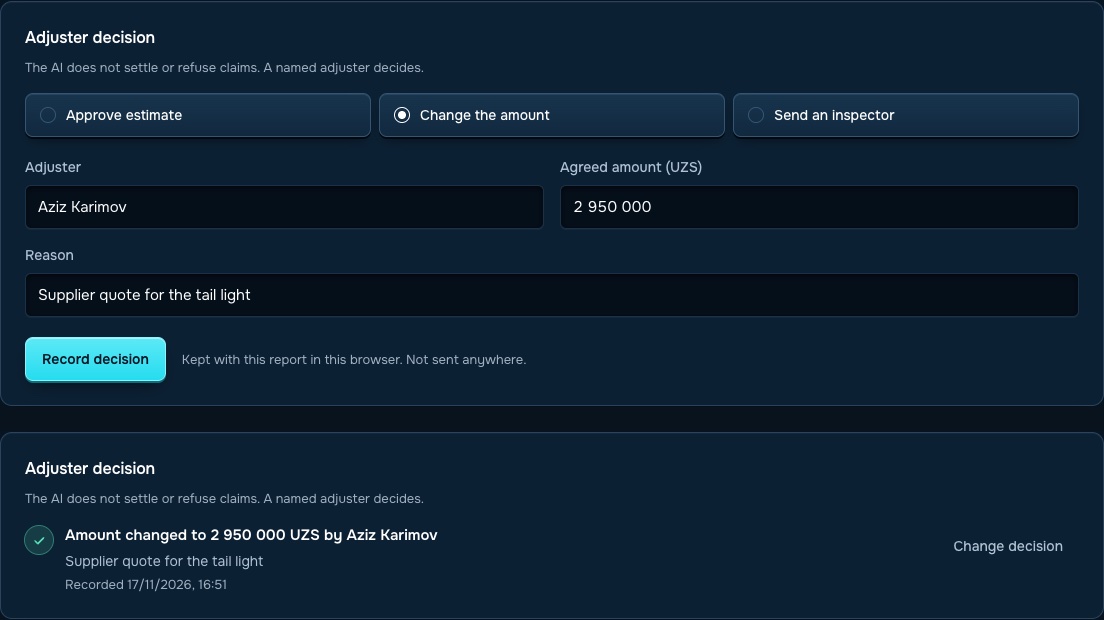
Then it suggests one of three routes: no site visit needed, desk review, or send an inspector. Your adjuster accepts the route or changes it, and the change is recorded with a reason.
What's in every report
Everything a reviewer needs to accept the figure, change it or ask for more.
| Part of the report | What it tells your adjuster |
|---|---|
| Damage list | Each part, the type of damage, how bad it is, the action and how sure the model is |
| Price lines | Parts, labour and paint for each line, with the source of every price |
| Money | Repair range, most likely cost, deductible and net payable |
| Total loss check | The repair cost against the car's market value |
| Left out of the total | Items not counted, and why: no local price, old damage, or a part to price by hand |
| Photo checks | Quality, angles covered, retakes needed and camera data |
| Vehicle check | Whether the photos match the make and model on the claim |
| 3D damage map | Where each damaged part sits on the car; click a part to see its price and parts table |
| Route | The suggested route and the reasons for it |
| Record | How the estimate was made, so the result can be checked later |
What the AI does, and what it leaves to people
The AI
- Finds and describes visible damage
- Suggests paint only, repair or replace for each part
- Flags poor photos, old damage and photos without camera data
- Checks the car matches the claim
People and price tables
- Every price comes from a local table, never from the AI
- A named adjuster makes the final decision
- An inspector sees the car when damage could be hidden
- Your team sets the rules behind each route
See it on a sample claim
Walk through two full reports, one from Tbilisi and one from Tashkent.